Live Stream Chat: How Streaming Platforms Turn Viewers into Communities
Viewers are no longer satisfied being a passive audience while consuming video content, and streaming platforms are responding to the challenge. Those platforms are replacing singular viewing experiences with social viewing communities. And they’re doing that by incorporating second-screen features, live stream chat, and watch party viewing, all of which encourage engagement, interaction, and connection alongside main screen content consumption.



A recent study published in a peer-reviewed journal, Psychology and Marketing, found that second-screen use enhances consumers' feelings of social connection, which in turn increases their likelihood of repeating the media consumption experience. For example, Super Bowl watch party viewers can look at player stats and chat online with other viewers while watching the game. This keeps them engaged with the content on one screen and the social experience tied to the content on the second screen. The same study indicates that this second-screen engagement can enhance feelings of connection and increase the likelihood that the viewers will return to the same platform to experience the connections and content again.
In this article, we explore the difference between streaming and watch parties, the essential elements of a co-watching experience, the role of live chat, and the different co-watching solutions available to platforms today.
What is the difference between a watch party and live streaming?
First, what is a watch party exactly? Imagine friends scattered across cities, all tuning in to the same movie or game online, chatting and reacting together in real time. The stream is the show or event everyone is watching on demand.
What sets a watch party apart from solo streaming is the lively social layer. This shared experience is nearly as vital as the content itself, letting everyone swap reactions and emotions instantly.
Hulu’s watch party has become a fan favourite, letting viewers not only watch together but also see and hear each other through live video chat. First rolled out to a select group in 2020, it quickly expanded to all subscribers by December. Up to eight people can join a synchronised viewing session, complete with lively text and video chats for sharing reactions and staying connected.
Prime Video brings viewers together with live chat during its Amazon Live shoppable shows. Meanwhile, Disney+ once offered a dedicated watch party app, and fans still lament its disappearance online. Hulu still provides this opportunity for its subscribers.
Core Elements of a Co-watching Experience
A Nielsen study tells us that close to 47% of TV viewing done in a home is done with more than one person. From that number, we can hypothesise that people enjoy watching programs with at least one other person. Well, how about people who live alone or people who have different viewing choices than their families? That’s where co-watching enters the chat.
There are a few key features essential to a co-watching experience, and one of the most important is a robust chat. The chat is where emotions are shared, and ideas are exchanged. Another important element is a participation list, so people feel like they are a part of a real community. Another key component is the synchronisation of on-demand video watching.
It is important that viewers can see what is happening at the same time as one another, so the reactions and comments happen as the action happens on the screen. Finally, it should be an accessible experience, meaning it doesn’t require significant effort, like downloading special software to participate.
Types of Co-watching
There are numerous content opportunities for co-watching experience, including live sports, awards shows, concerts, and popular series. The viewership for these types of events is made up of a passionate audience that wants to converse with others about how they're feeling. For example, Hulu presents major awards shows like the Grammy Awards—viewers can use the platform’s internal tools to watch the show with friends while chatting about fashion choices, performances, and award winners.
VOD audiences love discussing TV series and films, as evidenced by social media accounts and online forums that have formed to do precisely that. For example, reality show Selling Sunset on Netflix is so popular that it has its own Reddit group where viewers gather to talk about the show as it happens or after. With co-watching, fans of the show can watch premieres together in real time and use a chat interface to connect during the watch. Discord also allows this: you can create a Discord service to co-watch content from YouTube and YouTube Premium. Various watch party apps and browser extensions exist, like Rave, Teleparty, Scener, or Kast, that allow people to watch content together using external tools. Even Google has recently started to offer users the opportunity to implement the Google Meet API for a co-watching experience.
Often, the content production and content owners provide such an experience for viewers. For example, BT Sports uses Scenic's white-label solution to provide its users with co-watching of sports games. Canal + and LaLiga use LiveLike for the same purpose—to allow viewers to gather and discuss while watching. Watchers provided a SaaS solution for co-watching the Olympics and World Cup © to broadcast rights holders in CIS.
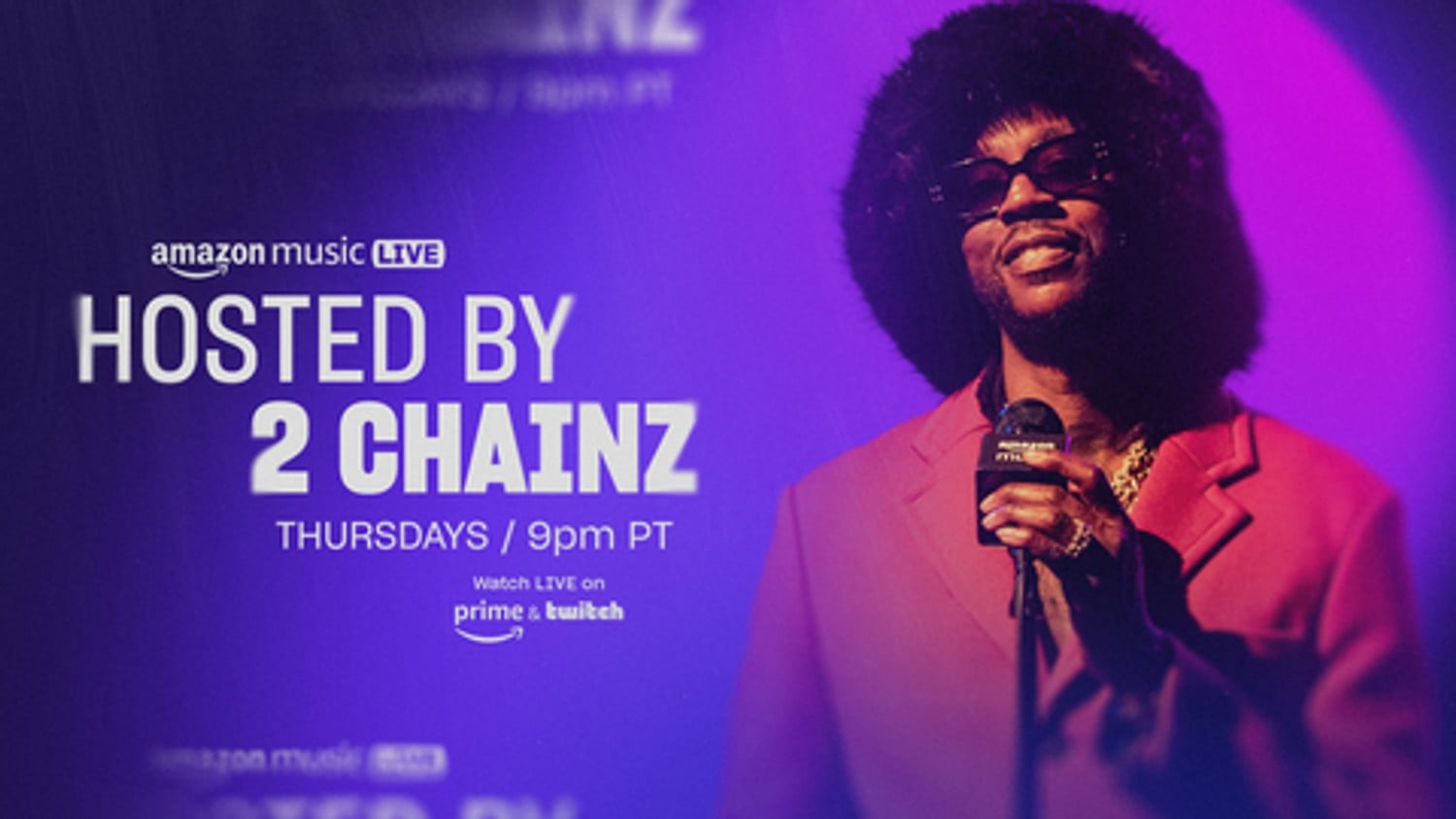
Another popular angle for co-watching is the host-led watching experience. For example, artist 2Chainz led an Amazon Music Live concert streaming experience. Thousands of people tuned in live as he presented artists and gave commentary about the acts. This type of co-watching works well when the host is an authority in the space, like 2Chainz is in music.
Live Stream Chat: The Other Half of the Experience
By adding live chat to video content, platforms transform passive viewing into energetic, interactive events. What started as a novelty just a few years ago has now become something viewers eagerly seek out and expect.
A recent live streaming study shows that real-time interaction helps viewers feel present and involved. This connection increases enjoyment and builds community. YouTube Live and Twitch have made this experience central to their services.
Types of Live Stream Chat
Live stream chat can be hosted on a specific social media or streaming platform, or added within the platform alongside the main content.
The difference is pretty clear: with the first variant, the main content is the live stream chat itself. This type of live stream chat can be hosted on YouTube Live, Twitch, TikTok Live, Discord, and similar platforms. Each has its own specifics. For instance, Discord also lets users combine live stream chat with a watch party. Still, the main feature for all is the same: live stream chat is provided on a specific platform.
In the second variant, the main content comes first, and live stream chat is an additional feature that supports it. Platforms that own content rights often use built-in tools to add live streaming chat linked to their main content. This helps them retain audiences who do not need Twitch or Discord but still feel engaged enough to stay on one platform. Live stream chat can be integrated via SDK or Webview, placed on the page with the content, or inside the video player. It is often available mainly on web platforms, both desktop and mobile, but can also be integrated into mobile apps. In this case, platforms face the challenge of combining the main video content and live stream chat in a limited space. Usually, this is solved by allowing only one host with video streaming rights and audio access for other guests and participants.
External Communities vs In-App Social Viewing
Let’s dive deeper into the differences between these two options. As we mentioned earlier, both live streaming chat to video content and watch parties can be hosted externally on social platforms, and internally on the platform where the content is available.
External solutions are easy. Anyone can set up an external community for a synchronised viewing of experience, which means it can happen with or without the participation of the platform providing the content. When platforms set up the watch party on external services like YouTube, the outcome is the same as if the platform had no input at all. That’s because an external watch party is an entity in and of itself. The user data belongs to an external platform and cannot be used for user experience improvements.
You have no access to relationship and behaviour statistics that could help inform your marketing and pr strategy, and there is no opportunity for you to monetise a third-party watch experience. The biggest issue with an external community system is that you lose the opportunity to build loyalty. While throwing an in-app watch party can be a great marketing and PR move, when it’s doled out via another provider, the value quotient diminishes significantly.
In-App Watch Parties or Live Stream Chat
Watch-parties are more relevant for non-live content, like films, TV series, or pre-recorded lectures, for example. Also, it is more relevant for a limited group of viewers. Also, the integration of the feature in the case of watch party should be deeper, in a video player, to provide the smoothest experience for participants. Even if you are building watch parties for specific segments like critics or premium subscribers, in-app parties create a streamlined experience for viewers and a data-infused opportunity for the platform. An in-app built-in model essentially creates a user-centred data platform within a platform for you while providing users with a no-friction community viewing and chat experience. This solution may be a choice for platforms now, but in the very near future, it will be an industry standard.
Live stream chat does not necessarily require deep video player integration. APIT or WebView integration of the chat inside the content page will be enough. Once the community chat looks like a part of the content platform, you can live-stream inside the chat of the host and guests, and other participants can communicate in a chat with text or voice. Such an integration requires no deep restructuring of the host content platform technologies, but still allows for the collection of all needed data and the management of moderation and interactions.
Moderation and Safety
This question is answered differently for these two types of live stream chat.
With the external, specific platforms like Twitch or YouTube Live, the barrier to entry and participation in chats is low, and participation can be anonymous. Twitch is famous for its strict community rules and high level of moderation, but the anonymous crowd is still quite hard to control. That means members can be inhibited as their real identity doesn’t have to face any real consequences for bad behaviour within the chat. Even normally ‘fair-minded’ people can say things they would never say to anyone in their real lives.
External live stream chats can also attract the wrong crowd, including people seeking attention, scammers, spammers, and those paid to agitate politically online. If a digital space floods with this crowd, regular users may quit and not want to return. To prevent this toxic behaviour, set up guidelines for your live chat and assign moderator roles so the community can feel more confident about user comfort.
With internal live stream chats, moderation becomes the responsibility of the platform and content owners. This responsibility pushes them to provide top-level moderation, since losing viewers affects business metrics. Well-organised moderation can benefit business: if users find internal live stream chats for sports or TV shows safer, more appealing, and engaging, they will return, just as they do to their preferred social media.
Use Cases: How Platforms Turn Viewers into Communities
From reality TV shows to live sports, there are so many opportunities for c-watching that turn the casual solitary viewing into a communal experience. In the case of a new series, it all starts with the platform’s initial promotion for the premiere as a watch party event. That first episode has individuals join to watch with a built-in live streaming chat. But as people comment, emotions are shared, and the watch party turns into a destination that the group wants to return to week after week.
Any Kind of Sports
Given how quickly stadiums sell out for popular sports, it is clear people enjoy watching games together. It’s not just about seeing the game in person, since even the nosebleed seats sell out. Sports fans enjoy the community aspect of watching a sport. That’s why bars and restaurants fill up on big game days.
When platforms offer co-watching with chat, it recreates the stadium experience. A broadcasting platform becomes a digital stadium. People can react to goals, discuss stats, athletes, referee decisions, and connect with fellow sports fans. This is when real communities form, and users return not just to watch the game, but to talk to one another about it. Esports already have large communities built around gaming, and chat is as important as the viewing experience.
TV Shows, Premieres, and Film Fan Communities
VOD platforms are transforming what used to be passive viewing experiences into active fan events that drive engagement and bolster communities. Amazon Prime has organised many successful watch parties for season premieres like the season 3 premiere of The Wheel of Time in 2025. This premiere included a Q&A with the cast as well as behind-the-scenes content, and sneak peeks. Other successful watch party premieres include Netflix's Stranger Things 5 premiere and Disney+’s Taylor Swift/The Eras Tour/Taylor’s Version. The key to these successful events is the interactivity with live chats, behind-the-scenes content, and fostering a feeling of community and exclusivity.

Hulu often promotes premieres of shows for watch party viewing with its built-in watch party feature. Their feature allows up to eight Hulu subscribers to join a party. The feature remains popular after being introduced in 2020. With its subscribers-only element, Hulu creates exclusivity and loyalty, meaning those who want to participate have to join, and those who are already in watch parties want to keep their subscription so they can remain a part of the community.
Creators and Education: Co-Watching as a Format
For education platforms, co-watching provides a similar environment to a classroom, which is one of the key elements that are missing from online education. Co-watching even prerecorded lectures with a live chat feature allows interaction amongst listeners. This allows ideas to flourish and relationships to be built, much like an IRL classroom.
Reaction content for UGC creators is very popular, with creators often reacting to their own videos or videos of others. These types of videos often have long comment sections, and if the creator does it in live mode, then numerous people join in and provide reactions. This can create a community around a creator, making the creator almost like a host with an engaged audience that builds relationships amongst itself, too. This often has users coming back not just for the creator's comments, but also for the connections they’ve made with other followers.
Checklist Before Starting with Co-Watching
Before product and engineering teams can get started on building an in-app system for co-watching and live chat, consider the following.
1. Content
What content do you want to gather users around? Do you have the rights and licensing to share your content with multiple users?
2. Multiple or single event
Do you want to provide this opportunity only once or regularly?
Should these events be available for all of your users or just for some: subscribers, members, winners in a competition, special guests, etc.
3. Watch-party or live stream chat?
What exactly type of co-watching is more suitable for your users and your content?
4. Community Management
What checks and measures are you going to implement to ensure chats remain respectful and safe?
5. Usability and additional tools
What features are you going to implement to encourage interaction?
6. Screen Design
How are you going to ensure the chat features do not distract users from the main content?
7. Server Strength
Are your servers strong enough to handle multiple viewers?
8. Host Controls
Who is going to control the content in a watch party?
9. User Privacy
How are you going to keep user information safe?
10. Device Compatibility
How will you design to ensure the viability of use across screen types?
FAQs About Watch Parties and Live Stream Chat for Platforms
Should any content platform necessarily build internal features for co-watching?
No, not every platform needs to build its own co-watching tool because it requires resources, and it can be pretty costly. There are also several external options, such as tools and browser integrations. Even many large enterprises, such as La Liga, use SaaS services for this feature in their apps and games instead of building it internally.
How are in-app watch parties different from browser extensions and third-party apps?
In-app watch parties are controlled by the host streaming platform, which means the host can manage privacy, video syncing, and ensure a safe and respectful user experience. Third-party apps and browser extensions take the experience away from the main content platform, and you have few opportunities to ensure a positive and high-quality experience, nor to protect user data.
Sources
Nielsen | Nielsen Need to Know: What is co-viewing, and why should you care?
Hulu Help Center | Hulu Awards Shows Watch awards shows live on Hulu
Selling Sunset Premiere Numbers | Selling Sunset' Season 9 Hit Netflix's Top 10, and Now It's Reunion Time - CNET
Psychology and Marketing Magazine | How Second Screens Shape Consumer Experiences
Frontiers Magazine Social Connection on Repeat Viewing | Wu - 2025 - Psychology & Marketing - Wiley Online Library
Frontiers | Antecedents of Viewers’ Live Streaming Watching: A Perspective of Social Presence Theory
IGN Disney Plus Subscribers Mourn the Quiet Removal of the GroupWatch Feature | IGN
Google Workspace | Google Watch Party API
Boost your platform with
Watchers embedded tools for ultimate engagement


